14 min read
A pack is not a filing system: the new Xero Workpapers and your documents
By The XTK team · Product
The new Xero Workpapers is a compliance tool. It holds the evidence behind one period's numbers, in a pack you can mark complete and lock, and Xero has never claimed it is anything else. It is not a document management system, and installing it does not give your client documents a home. Both things are true at once, and the distinction is worth more this year than last, because Australian practices now get the new Workpapers at no extra cost and a paid tier above it is priced per user.
This article covers what is live in which country and at what price, what a workpaper pack actually does with a document you attach to it, which client documents should never be filed in one, who else gets access to the data, and what per-user pricing does to a practice's stack. Nearly all of it is worth doing whether or not you ever open the product.
What is the new Xero Workpapers, and what does it cost?
It is a rebuilt workpapers product, developed with BGL, that replaces the one now renamed classic Workpapers. In Australia it is live and free: Xero's own words are that it is delivered “at no extra cost for all Australian practices at Bronze status and above”, reachable through Xero Practice Manager, Xero Tax, or Xero Partner Hub. In the United Kingdom and New Zealand the product pages still read “Coming soon” with a form to register interest.
Xero says it was built from 31 highly requested features with 166 beta practices, covering more than half of all workpapers feedback in its Product Ideas forum. The pitch is a connected chain — ledger data out of Xero, into a working trial balance, out to tax — and in Australia that chain includes the tax return. The UK and NZ feature copy stops at reporting, so the same product is a slightly different proposition depending on where you practise.
Above the free tier sits Workpapers Plus, a paid add-on whose early access opened this month to a selected group of Australian practices. It adds Division 7A, capital gains, hire purchase and inter-entity loan worksheets, ATO pre-population, and AI data extraction from bank and loan statements. Standard pricing is $45 AUD excluding GST per user, per month, after three months at no cost and six at half price for early-access practices — an offer that Xero's own terms run from 3 August to 30 September 2026.
| Product | Where | Cost | Status |
|---|---|---|---|
| New Workpapers | AU | Included, Bronze+ | Live |
| Workpapers Plus | AU | $45 AUD per user | Early access |
| New Workpapers | UK, NZ | Not stated | Coming soon |
| classic Workpapers | AU, UK, NZ | As today | No changes yet |
One line in that table matters more than the prices. Classic Workpapers is not being switched off, and Xero says nothing else is changing about it right now — but it has also said plainly that future investment goes to the new product. That is a transition to plan at your own pace, not a deadline, and the practices that fare worst with a change like this are the ones that treat “nothing is changing right now” as the end of the sentence.
Does Xero Workpapers store your client documents?
No. It stores the evidence for a workpaper, which is a narrower thing. Xero's feature list is precise about it: you can “make calculations and attach documents, links, and notes to support your work”, keep “notes, queries and review points”, “quickly export workpapers, calculations, and supporting documents for easier client audits”, and “mark packs as complete and lock them to prevent further changes”. Every one of those verbs is about supporting a conclusion for a period.
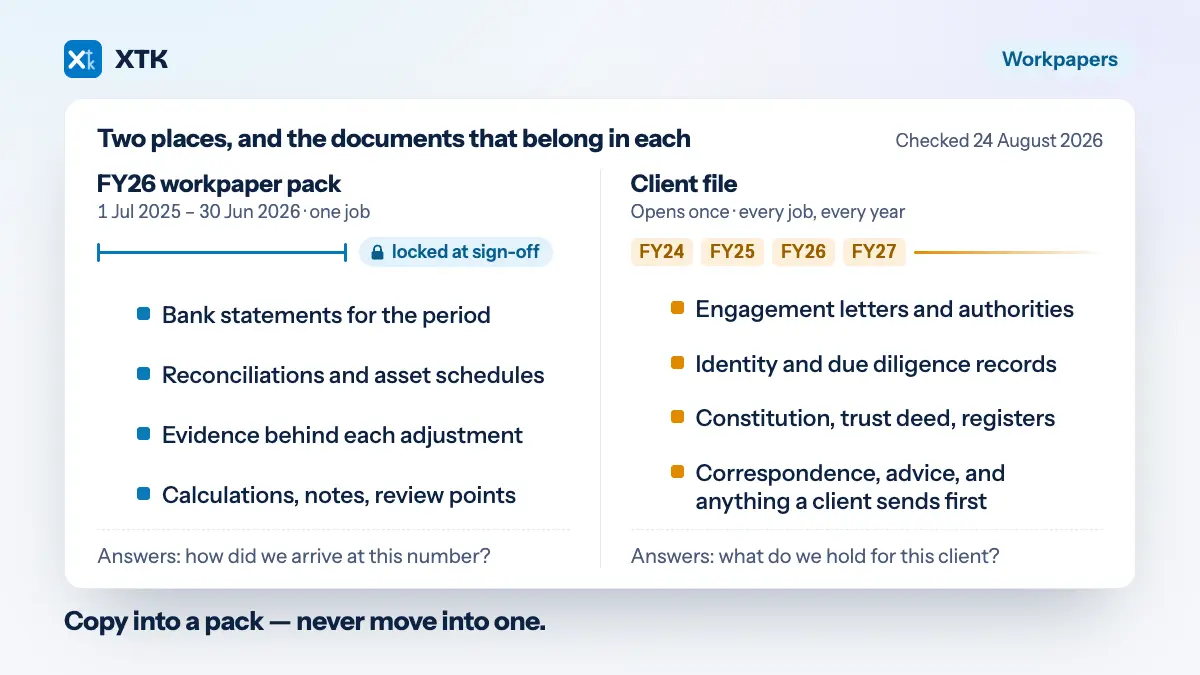
The difference is easiest to hold as two questions. A workpaper pack answers “how did we arrive at this number for the year ended 30 June 2026?” A client file answers “what does this practice hold for this client?” The first is bounded by a period and signed off. The second outlives the engagement, the software and usually the staff member who opened it.
Both answers need somewhere to live, and a pack is a poor container for the second because everything good about it is period-shaped. Locking a pack is a feature when it is the evidence for a signed-off set of accounts. It is a problem when the only copy of a client's trust deed is inside it.
Which documents never belong in a workpaper pack?
Five categories, and the test in each case is the same: does this document belong to a period, or to the relationship?
- Engagement letters and signed authorities. They govern more than one year's work, they are the first thing anyone asks for in a fee dispute, and an e-signed one carries an audit trail worth keeping intact. A pack per year would give you several copies and no canonical one.
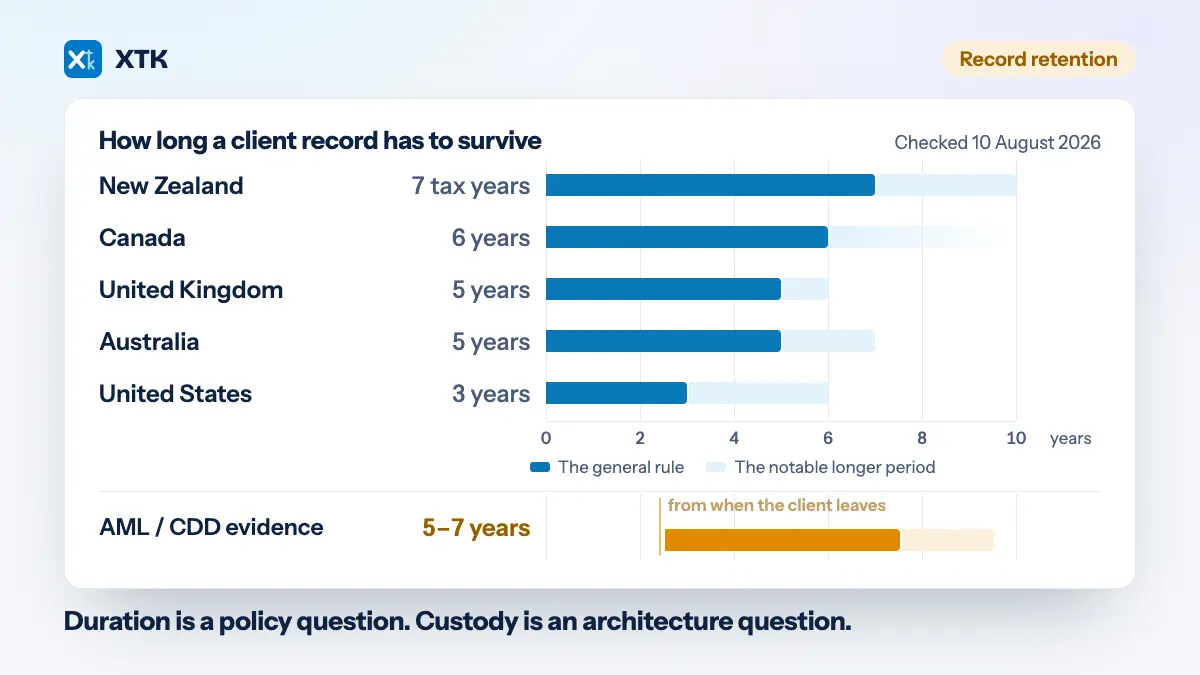
- Identity and customer due diligence records. These run on their own clock, and it is the one clock that starts when you stop acting for the client rather than at a year end — which is exactly when a period-based filing system is least likely to be looked at.
- Permanent records: constitutions, trust deeds, shareholder registers, company registrations, prior filings. They change once a decade and are needed in years when there is no pack at all.
- Correspondence and advice. Not evidence for a number, but the record of what you told a client and when. It is the part of the file that matters most when something goes wrong, and the part most often left in an inbox.
- Client-supplied documents that arrive before any pack exists. Half a busy season's paperwork lands before anyone has opened a job, let alone a workpaper, and it has to be somewhere sensible in the meantime.
Bank statements, reconciliations, asset schedules, calculations and the evidence behind an adjustment go the other way — they are period documents and a pack is the right place for them. The clean split is by job and period, which is also the split Practice Manager's own job model already describes. If your filing structure already separates a year's job papers from a client's permanent file, you have done most of this work; the new Workpapers just gives the first half a better home.
What happens to a document when the pack is locked?
Xero has published that packs can be marked complete and locked to prevent further changes, and that key information and documents roll over from previous years. What it has not published — anywhere we could find on 24 August 2026 — is what becomes of the documents inside a pack when a practice leaves the product, drops below Bronze status, or stops paying for a tier. So this is a question to ask, not one to answer from a product page.
The practical rule that follows is short: copy documents into a pack, never move them into one. Attach the bank statement to the workpaper because that is where a reviewer needs it, and keep the client's copy where it was. The duplication is deliberate, it costs nothing in a storage account you already pay for, and it means a locked FY26 pack is a convenience rather than a dependency.
Who else gets access to the client data?
BGL does, and Xero says so plainly on both the Australian and UK product pages: “To provide you with a seamless experience, you'll need to give BGL access to your clients' Xero organisations. BGL will use the data to deliver services, for support and reliability purposes and for product improvement.”
Read fairly, that is an ordinary arrangement stated unusually clearly. A product built with a partner needs the partner to reach the data, BGL has supplied compliance software to Australian practices for decades, and disclosing the purposes on a public marketing page is better practice than most integrations manage. It is not a reason to avoid the product. It is a reason to write it down, because your clients' data is being processed by a company they have never heard of, on your authority.
- Read the terms before you tick the box. BGL publishes its Xero Embedded Workpapers subscription agreement as a dated PDF — the version current when this article was written is 18 February 2026. It is where the terms that matter live — data handling, and what happens if you leave — and it is the document nobody reads.
- Add BGL to your own list of processors. Most practice privacy notices and some engagement letters name the third parties that handle client data, and a list that is missing the newest one is the kind of small inaccuracy that is awkward to explain later.
- Decide what “product improvement” means to you. For most practices the answer will be that it is fine and disclosed. For a firm with clients who ask hard questions about their data — and every practice has a few — the answer needs to be one you have reached deliberately rather than by clicking Allow access.
The same three questions should be asked of every add-on in your stack, including ours. XTK's answers are written out in the how we handle your data guide, hedges included: files live in your practice's own Google Drive, OneDrive or SharePoint rather than on our servers; uploads go direct from the browser to your storage, while downloads and server-side jobs such as zipping, PDF merging and signature flattening stream through XTK without being kept; Convert to PDF hands the file to CloudConvert; and client and file names do reach our database as workflow metadata. An add-on that tells you only the flattering half of that is the one to be careful with.
What does per-user pricing do to a practice's stack?
It ties the bill to headcount, which is fine until headcount changes. At $45 AUD per user per month, the same product costs a sole practitioner $540 a year and a ten-person firm $5,400 — and the day you hire a graduate, every per-user line in the stack re-prices at once.
| Staff | Per month | Per year |
|---|---|---|
| 1 | $45 | $540 |
| 3 | $135 | $1,620 |
| 5 | $225 | $2,700 |
| 10 | $450 | $5,400 |
Practically, price the tier at the headcount you expect in eighteen months rather than today's, put the end of any introductory discount in the practice calendar the week you sign up, and check which other tools in the stack are billed the same way. A stack where every line scales with staff is a stack that makes hiring feel expensive.
So what still needs a home?
Everything in the five categories above, plus everything a client sends you before there is a pack to put it in. That is the half of the problem the new Workpapers does not touch, and it is the half that generates the chasing, the duplicate copies and the “can you resend that” emails.
What XTK does is the document half, inside the same Practice Manager tab: a folder per client in your practice's own Google Drive, OneDrive or SharePoint; folder templates so the permanent-versus-period split is created identically for every client instead of being a convention people remember; job and quote level filing so a year's papers sit against the job they belong to; document requests that send a client a checklist on one link with no account to create; e-signatures that file the signed PDF beside the original with the certificate of completion appended as its final page; and document templates filled from the client's live Practice Manager details.
And the limits, because an article about someone else's product is a bad place to get vague about your own. XTK has no reminders and no scheduler of any kind: nudging a client is a manual Resend, which mints a new link, kills the previously emailed one, sends XTK's own wording rather than your message, and does not extend the request's 30-day life. There is no cross-client dashboard of what is outstanding — that is Practice Manager's Job Manager. And it is a browser extension, so it works where Practice Manager works.
It is $59 a month for the whole practice — every feature, every staff member, one connected storage account, 30-day trial, no card. Hiring does not change the bill, which is the one thing worth saying next to a per-user line.
Six things to do before Partner Hub moves you
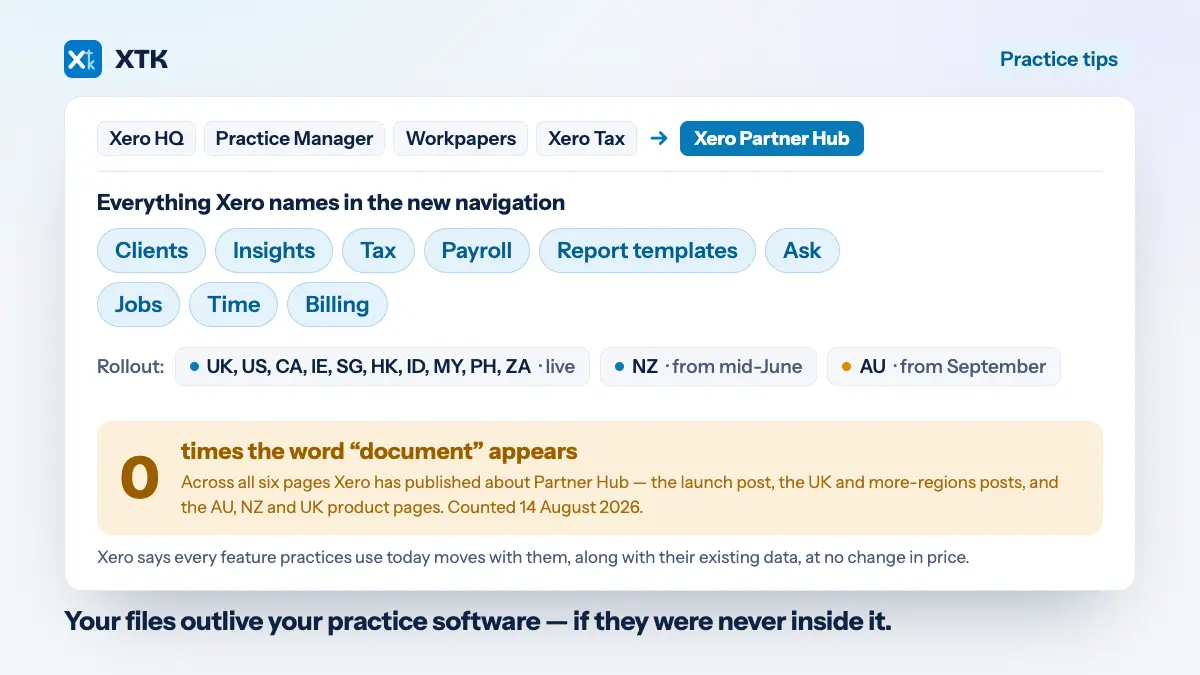
Xero's position as at July 2026 is that you can opt in to Partner Hub now “or be moved automatically when it rolls out to all practices later this year”, and Practice Manager is being absorbed into it either way. None of the following needs a purchase, and all of it is easier before the move than after.
- Write down, on one page, which of the two systems each category of document lives in. Permanent to the client file, period to the pack. A rule nobody has written down is a rule that lasts until the next new starter.
- Make copy-in-never-move-in the standing instruction, and say it in the same sentence as “attach the evidence to the workpaper” so the two arrive together.
- Run the seven-year test on anything whose only copy would end up inside a locked pack. Fix those before you have fifty of them.
- Add BGL to your processor list and read the subscription agreement. Fifteen minutes, once.
- Price the per-user tier at the headcount you expect in eighteen months, and diarise the end of any introductory discount.
- Decide when you are moving off classic Workpapers rather than waiting to be told. Nothing is changing yet, but the investment has already moved.
The new Workpapers looks like a genuine improvement to a job most practices spend an unreasonable share of their year on. It is still a compliance tool, and a compliance tool's memory ends at the period. Your client's file does not, which is the part left to you.
Frequently asked questions
Is the new Xero Workpapers a document management system?
No. It holds the evidence supporting a period's numbers — attached documents, links, notes, queries and review points — in a pack that can be marked complete and locked to prevent further changes. Permanent client records such as engagement letters, identity verification records, constitutions and trust deeds span multiple years and belong in a client file that stays open, not in a pack that is designed to be closed.
Is the new Xero Workpapers free?
In Australia, yes, for practices at Bronze partner status and above, accessed through Xero Practice Manager, Xero Tax or Xero Partner Hub. Workpapers Plus is a separate paid add-on at a stated standard price of $45 AUD excluding GST per user, per month. In the United Kingdom and New Zealand the new Workpapers was still listed as coming soon as at 24 August 2026, with no price published.
Does BGL get access to my clients' Xero data?
Yes, and Xero states it on the product page: to use the new Workpapers you give BGL access to your clients' Xero organisations, and BGL uses that data to deliver services, for support and reliability purposes, and for product improvement. BGL publishes its subscription agreement as a dated PDF. Practices that name their data processors in a privacy notice or engagement letter should add BGL to that list.
What is happening to the classic Xero Workpapers?
The previous product has been renamed classic Workpapers and Xero says current users can keep using it as they always have, with nothing else changing for now. Xero has also said its future investment goes to the new solution, so treat classic Workpapers as a transition to plan at your own pace rather than a product with a published end date.
Can I attach client documents to a workpaper pack instead of filing them?
You can attach them, but copy rather than move. A pack can be locked when the period is signed off, and no public Xero documentation as at 24 August 2026 states what happens to documents inside a pack if a practice leaves the product or changes partner status. Any document you may need to produce in seven years should also exist somewhere you control, such as your practice's own Google Drive, OneDrive or SharePoint.