12 min read
How to name client files so anyone can find them
By The XTK team · Product
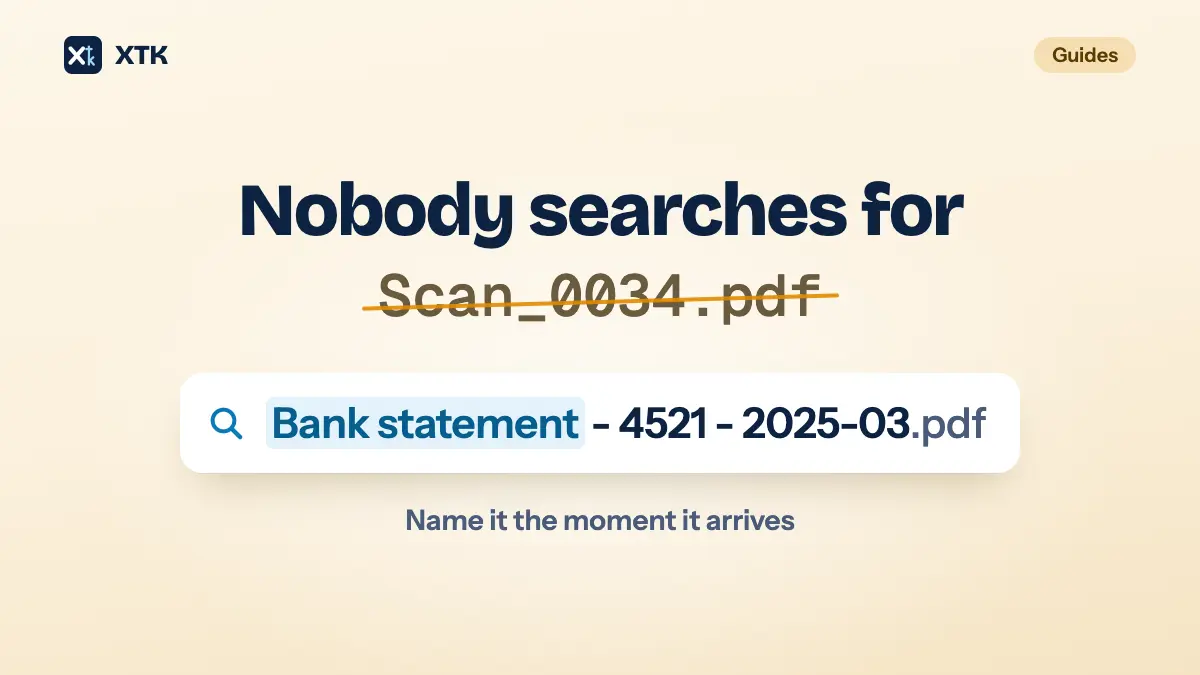
Name every client file in the same three parts, in the same order: what the document is, what tells it apart from others of its kind, and the period it covers — Bank statement - 4521 - 2025-03.pdf. Use one agreed word for each kind of document, write dates year first, and leave out “final”, initials and anything else the storage already records. Then rename each file the moment it arrives, because a convention that depends on tidying up later is a convention nobody follows.
The rest of this article is the reasoning behind each part, so you can adapt it rather than copy it. It is about what files are called, not where they go: a folder structure that survives busy season covers the folders, and job-level filing covers naming a folder for each job. Everything here works in Xero Practice Manager (XPM), Google Drive, OneDrive and SharePoint, with or without any other tool.
Why does a file's name matter more than its folder?
Because the name is the only part of a file that goes everywhere the file goes. A folder is context, and context gets stripped the moment a file moves: attached to an email, downloaded to someone's laptop, bundled into a zip for a lender, forwarded by a client to their solicitor. Bank statement.pdf means something inside Clients / Acme Trading Ltd / 2025. In a Downloads folder beside forty other files, it means nothing.
A name has to work in three places, and a good convention is simply one that works in all of them.
- In a list, sorted by name. The order the parts come in decides what sits next to what.
- In a search box. Search finds the words people actually type, so the name has to use them.
- Outside its folder. The name alone has to say what the file is and which period it belongs to.
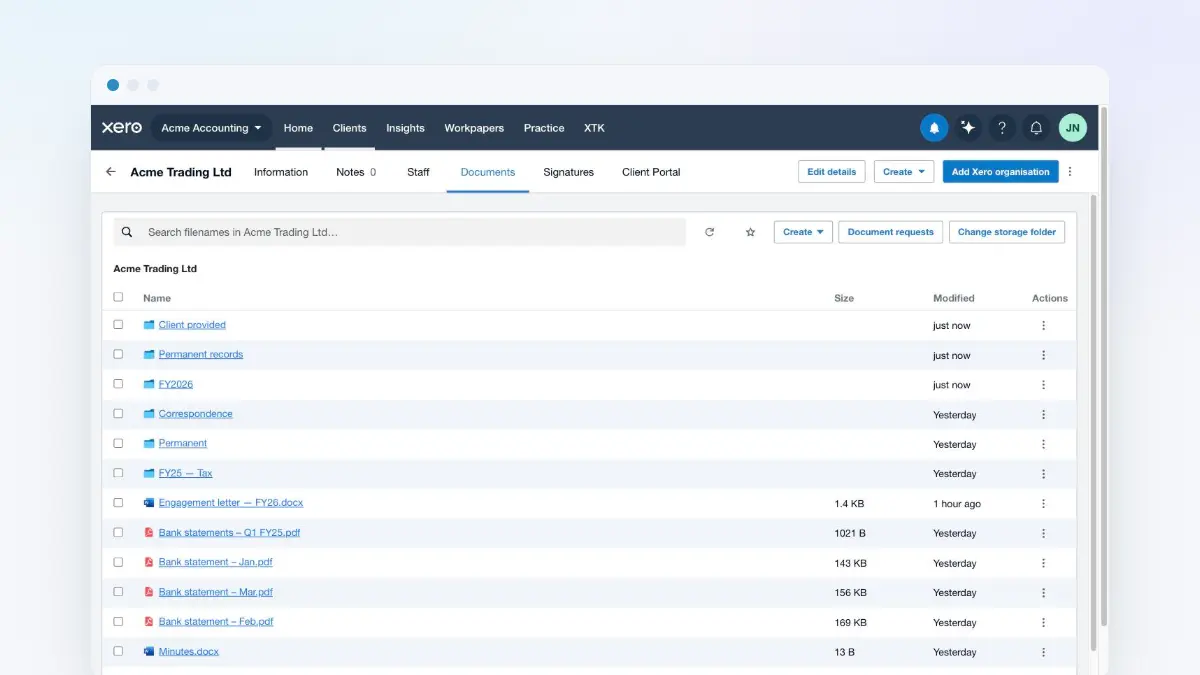
Practice Manager raises the stakes on the first of these. Xero Central's page on uploading documents — now filed under Xero Partner Hub — says documents in a client, job or quote's Documents tab are “listed in alphabetical order”. There is no other order to fall back on, so in XPM the name is the filing system. XPM's own upload form also asks for a Title alongside the file; give the Title the same name.
What order should the parts of a file name go in?
Put first whatever you want grouped together, because a list sorted by name clusters files by their first word. For most client documents, that is the type of document. All the bank statements then sit together; the account number, second, separates one account from another; and the period, last, puts each account's statements in date order. Separate the parts with a spaced hyphen so the eye can find the boundaries. Correspondence is the one exception, because it is read as a timeline: put the date first there, and a folder of letters sorts itself into the order things happened.
| Arrives as | Filed as |
|---|---|
| Statement_20250331_094512.pdf | Bank statement - 4521 - 2025-03.pdf |
| IMG_4471.HEIC | Motor vehicle logbook - FY2025.HEIC |
| Scan 12 Mar.pdf | Payslip - 2025-03.pdf |
| Accounts FINAL v2 (JS).xlsx | Accounts - FY2025.xlsx |
| letter.pdf | 2026-08-14 - HMRC - Penalty notice.pdf |
How should dates be written in a file name?
Year first, in numbers: 2025-03-31 for a day, 2025-03 for a month. It is the international standard, ISO 8601, and the form the US National Archives recommends for file names, because it is the only way of writing a date in which alphabetical order is also date order. Written as words, April sorts before March. Written day first, 31-03-2025 sorts beside 31-01-2026, and every file from the 31st of any month clusters together. Written month first, every March of every year sits in one block.
Periods need one more decision, because “FY25” means different things to different clients. In Australia it is the year to 30 June 2025; for a UK company with a December year-end it is calendar 2025; for a UK sole trader it may mean the 2024-25 tax year, which ended on 5 April 2025. Pick one form for the practice — the year the period ends, in four digits, is the easiest to sort — and write down what it means.
Which words should go in a file name?
The same word for the same thing, every time. Search cannot guess that Bank stmt, BS and Statements are one kind of document, so three spellings split a client's bank statements into three searches, and the person who types the fourth spelling concludes they are missing. Agree a short list of document names, put it where everyone can see it, and add to it when something new turns up.
- Bank statement, not Bank stmt, BS or Statements.
- Payslip, not Pay slip or Wage slip.
- Engagement letter, not EL or LoE.
- Trial balance, not TB.
- Abbreviations only where everyone already uses them: VAT, PAYE, GST, BAS, P60.
Just as important is what to leave out. Staff initials tie a file to whoever touched it last, and the storage already records who changed what. Words like “new”, “latest” and “copy” are true for about a week. And the client's name is usually redundant inside the client's own folder, where it lengthens every name without distinguishing any of them — with one exception. Anything that leaves the practice, a letter or a pack of accounts, should carry the client's name, because the person receiving it has no folder to tell them.
The same logic applies one level up. Give every client in XPM a name no other client shares, because a Documents tab, a folder and any tool that finds folders by name can only be as distinct as the names they are given. Two clients called J Smith are one mistake waiting to happen; J Smith (Leeds) and J Smith (Harrogate) are not.
Should a file name say “final”?
No. “Final” is a prediction, and the file after Accounts FINAL.xlsx is so often Accounts FINAL v2.xlsx that the word has stopped meaning anything. The useful question is which versions need to exist as records, and the answer is fewer than most folders suggest.
Working drafts belong in version history, not in the folder. But version history is a safety net with holes in it, not an archive. Google says an older version of an uploaded file “might be permanently deleted after 30 days or if there are 100 newer versions”, unless someone marks it “Keep forever”. SharePoint keeps however many versions your administrator's version history limits allow, and Microsoft says versions past the limit are deleted permanently, without passing through the recycle bin.
So when a particular version matters — the draft the client approved, the accounts as they were signed — save it as its own file and name the state, not the sequence: Accounts - FY2025 - approved by client.pdf. Everything else stays one file, overwritten, with its history behind it. If you must number drafts, use v01, v02 and so on, with the leading zero so v10 does not sort before v02.
Which characters should you keep out of file names?
Everything except letters, numbers, spaces and hyphens, plus the full stop before the extension. Each system has its own list, and the only name that is safe everywhere is one that uses none of them. Practice Manager warns that some characters “can't be used and others are converted to underscore”, without listing them. Microsoft's page on restrictions in OneDrive and SharePoint lists the characters it refuses outright, and adds more rules besides.
| Where | What goes wrong |
|---|---|
| Practice Manager | Some characters refused, others become _ |
| OneDrive and SharePoint | " * : < > ? / \ | refused |
| OneDrive and SharePoint | No leading or trailing spaces |
| OneDrive and SharePoint | # and % blocked in some organisations |
| OneDrive and SharePoint | 400 characters for the whole path |
| Google Drive | Accepts almost anything |
Google Drive's permissiveness is the trap. A slash or a colon typed into a Drive file name works perfectly until the day the files move to SharePoint, or someone downloads them to Windows, which refuses the same characters. The 400-character path limit counts every folder name above the file as well as the file's own, so long folder names spend a budget that a deep SharePoint tree runs out of sooner than you would think. Spaces, on the other hand, are fine: archivists advise against them because some systems handle them badly, but none of the ones here do, and people read spaces more easily than underscores.
When should a file be renamed?
When it arrives, before it is filed, because that is the only moment anyone looks at it closely enough to name it. Most client files are named by whatever made them. A phone calls a photo IMG_4471.HEIC. A bank exports Statement_20250331_094512.pdf. A scanner produces Scan 12 Mar.pdf, and a client helpfully sends docs for accountant.pdf. None of those names will ever be searched for.
A rename queued for later waits for a quiet week, and busy season does not have one. So make it a rule that an unrenamed file is not filed: whoever moves a file into a client's folder names it on the way in, using the list of document names, and nobody files into a client folder straight from an inbox.
Better still, name a file before it exists. When you ask a client for documents, you already know what each one will be called, because you are the one asking. Write each line of the request the way you want the file named — Bank statement - 4521 - 2025-03 rather than “your bank statements” — and the request becomes the naming convention. A request that names items rather than categories is also the first step in stopping the chasing.
How does XTK name the files it handles?
XTK is a browser extension that adds a Documents tab to each client, job and quote in Practice Manager, showing that client's folder in your practice's own Google Drive, OneDrive or SharePoint. Some files it handles are named by rule rather than by a person, and the rules are worth knowing before you write your convention.
- Files a client uploads against a document request are renamed to the requested item's name, keeping their extension: IMG_4471.HEIC uploaded against “Motor vehicle logbook - FY2025” becomes Motor vehicle logbook - FY2025.HEIC. So the request line really is the file name, and because an item has nothing but a name, it is also the instruction the client reads — keep it file-shaped and put the detail (“PDFs from the bank, not screenshots”) in the email that goes with it. A second file against the same item gets “(2)”, a third “(3)”, so where the month matters, ask for each month on its own line. The rename happens just after the upload lands and keeps the client's own name if it fails, and extras uploaded without an item keep whatever name the client gave them.
- A signed document keeps the name it had when you sent it, with “(signed)” added before .pdf, and the certificate of completion is its last page rather than a second file. Name the document properly before you send it.
- A zip download is named after the client's folder and the date — Acme Trading Ltd - 2026-09-11.zip — and inside, it is flat: every file carries its own name and nothing else. Two files called Bank statement.pdf from two year folders arrive as two entries with the same name, which is the case for putting the period in the name in one sentence.
- Merging PDFs suggests Merged.pdf, and a file made from a document template starts with the template's name. Change both in the dialog; placeholders like [CLIENT:NAME] do not fill in a file name.
- Folder names in a folder template can carry a date: [DATE:yyyy] becomes 2026 and [DATE:yyyy-MM] becomes 2026-09. Keep words outside the brackets, as in FY[DATE:yyyy], because letters inside them are read as parts of the date.
- On Google Drive, search in XTK's Documents tab matches file names, within the folder you are in and everything below it. That is one more reason the words in a name matter.
XTK is $59 USD a month for the whole practice after a 30-day trial, with no per-user charge — the pricing page has the detail.
The convention, on one page
- Document type, then what tells it apart, then the period, separated by spaced hyphens: Bank statement - 4521 - 2025-03.pdf.
- Correspondence leads with the date: 2026-08-14 - HMRC - Penalty notice.pdf.
- Dates year first, in numbers. Periods as the year they end, defined in writing.
- One agreed word per document type, from a list everyone can see.
- No initials, no “final”, no “new”, no “copy”. The client's name only on what leaves the practice.
- Letters, numbers, spaces and hyphens only. Short enough to read in a list.
- Versions that matter become their own file, named by state. The rest live in version history.
- Rename on arrival. An unrenamed file is not filed.
- Name requests the way you want the files named.
Frequently asked questions
What is a good file naming convention for an accounting practice?
Name each file as the document type, then what distinguishes it, then the period, separated by spaced hyphens — for example Bank statement - 4521 - 2025-03.pdf. Use one agreed word for each type of document, write dates year first, and leave out initials and words like final or new. Correspondence leads with the date instead. Rename every file as it arrives, before it is filed.
How should dates be written in file names?
Year first, in numbers: 2025-03-31 for a day or 2025-03 for a month. This is the ISO 8601 format, recommended by the US National Archives for file names, and it is the only way of writing a date in which alphabetical order is also date order. Month names sort April before March; day-first dates sort by day of the month.
Should every file name include the client's name?
Not usually. Inside the client's own folder the client's name lengthens every file name without distinguishing any of them. The exception is anything that leaves the practice, such as a letter or a set of accounts, because the person receiving it has no folder to tell them whose it is. Keeping client names distinct in Xero Practice Manager matters more than repeating them in file names.
Which characters can't be used in file names in SharePoint, OneDrive or Xero Practice Manager?
OneDrive and SharePoint refuse " * : < > ? / \ and |, do not allow leading or trailing spaces, reserve names such as CON, PRN and desktop.ini, and in some organisations block # and %. The whole path, including folder names, is limited to 400 characters. Xero Practice Manager warns that some special characters cannot be used and others are converted to an underscore. Letters, numbers, spaces and hyphens are safe in all of them.
Should file names include final or a version number?
Not final, which rarely stays true. Keep working drafts in version history, but not as an archive: Google Drive may delete an older version after 30 days or 100 newer versions unless it is marked Keep forever, and SharePoint deletes versions beyond the limits an administrator sets. A version that matters, such as the draft a client approved, becomes its own file, named by its state.