11 min read
Google shared drive or My Drive for Xero Practice Manager client files
By The XTK team · Product
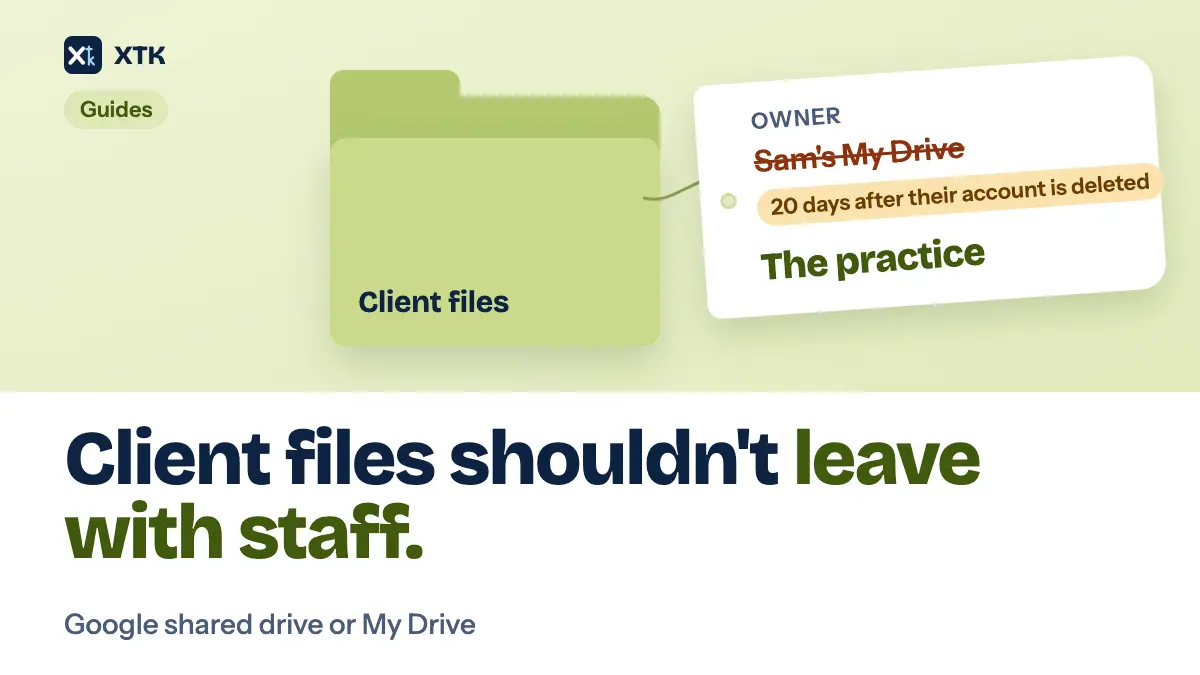
For a practice with staff, client files belong in a Google shared drive, not in anybody's My Drive. Files in a My Drive belong to one person, and when that person's Google Workspace account is deleted, Google deletes those files 20 days later unless an administrator transfers them to someone else. Files in a shared drive belong to the organisation, so nothing happens to them when anyone leaves. The catch for a Xero practice is that Practice Manager's own Google Drive integration is documented around My Drive, and Xero's help pages say nothing about shared drives.
This article is the Google version of our SharePoint or OneDrive guide. It covers where Xero stands, what Google does to a departing person's files, how to set up and move into a shared drive, and what XTK does with one. The setup half is worth doing whether or not you ever install anything.
Can Xero Practice Manager use a Google shared drive?
Not in any way Xero documents. Xero Central's page on uploading documents to your document management system, now filed under Xero Partner Hub, says Practice Manager integrates with Box, Dropbox, Google Drive, and SharePoint via SuiteFiles. You link one parent folder, every client folder has to sit inside it, and your team gets access by having that parent folder shared with them.
The same page's troubleshooting table shows how the Google side works. If one user sees the error that the parent folder cannot be accessed and they use Google Drive, the listed cause is that the folder was shared with them but not moved to My Drive, and the fix is to “Move the folder to My Drive.” A second line matters more for this article: if the account used to turn on document management is no longer valid, the error appears for every user, and the fix is to disable document management and turn it on again with a valid account. The page does not mention shared drives at all. It does have a section for Dropbox's shared team folder, which tells Dropbox practices how to move the parent folder out of a personal folder and into the team one. Google gets no equivalent.
As Xero describes it, then, the integration leans on personal accounts twice: the parent folder is reached through My Drive, and the integration was switched on with one person's login. If the folder was created in that same person's My Drive, which is the natural way to set it up, their departure takes out both at once. A request on Xero's product ideas board to integrate shared Google drives with Practice Manager is no longer there. On 21 September 2026 its link reported that the idea had been deleted, so there is nothing public left to vote for.
Should client files live in My Drive or a shared drive?
In a shared drive. Both look alike in a browser, both sync through Drive for desktop, and both open files in the same Docs and Sheets, which is why practices mix them up. What differs is who owns the files. Every file in a My Drive has one owner, a person. Every file in a shared drive is owned by the organisation, and people are members of the drive with a role.
| My Drive | Shared drive | |
|---|---|---|
| Files belong to | One person | The organisation |
| Owner's account deleted | Gone after 20 days | Unaffected |
| Access comes from | The owner sharing | Drive membership |
Shared drives come with every Google Workspace Business edition. Business Starter was the last to get them, on 23 September 2024, and Google left out some admin and security controls on that plan. A practice paying for Workspace already has what it needs.
What happens to My Drive files when someone leaves?
They are deleted unless somebody moves them in time. Google's page on deleting a user from your organisation gives an administrator the option, while deleting the account, to transfer the Drive files the user owns to another user. It notes that this does not include files in shared drives, because “your organization owns these files, not users.” A deleted account can be restored for up to 20 days. After that the files that were not transferred are gone.
The transfer is not a complete fix either. Google's page on transferring Drive files to a new owner says the files land in a folder in the new owner's My Drive, that anything in the old owner's trash is not transferred, and that existing sharing stays as it was. So the client files survive, but they now belong to a different person, and the problem has moved to the next desk. Google also suggests suspending the account or giving it an Archived User licence instead of deleting it, which keeps the files but leaves them in an account nobody works in.
A sole practitioner working from their own My Drive has none of these problems, and there is nothing wrong with it. The day you hire, create the shared drive and move client files into it before a second person's My Drive starts filling up with work only they can find.
How should you set up a shared drive for client documents?
Keep it plain. Everything below works in Google Drive alone, and every step makes a client folder easier to find from anywhere, including from Practice Manager if you later connect a tool to it.
- Create one shared drive for client work. “Clients” is a good enough name. One drive for the practice, not one per client or per partner.
- Inside it, make one top-level folder that holds every client folder. Any tool, and any new starter, then has a single place to begin.
- Name each client folder exactly as the client is named in XPM, with the same spelling and the same “Ltd”. Matching names are what let a tool find the right folder without asking, and they are where a folder structure that survives busy season starts.
- Put years inside clients, not clients inside years, and keep the tree shallow.
- Give most staff the Content manager role. It can add, edit, move and trash files. Contributor can add and edit but cannot move anything or put it in the trash, which suits someone who should never tidy up. Keep Manager, the only role that can change who is a member, to two people, so there is always a second one.
- Empty the trash now and then. A shared drive can hold 500,000 items, and Google counts files, folders, shortcuts and anything in the trash. Few practices get close, but a decade of scanned receipts can.
How do you move client files from My Drive to a shared drive?
Move the folders in Drive in a browser, as someone who is a Manager of the shared drive. Google's page on moving your organisation's content to shared drives says that only people with Manager access can move folders from My Drive into a shared drive, and that ownership then passes from the person to the organisation. It also names three things to check first.
- Every member of the shared drive can see everything moved into it, including files that were previously shared with only one or two people. If a partner keeps anything in a client folder that the whole team should not see, take it out first.
- People who could edit a file before the move become Content managers of it afterwards. People whose access came only through a parent folder can lose it.
- Google moves at most 100,000 items at a time, so a large archive may need moving in parts. Drive for desktop cannot move a folder from My Drive to a shared drive, so do it in the browser.
Move client folders one person's My Drive at a time, starting with whoever is most likely to leave. If Practice Manager's own integration points at the folder you are moving, expect it to stop working: Xero Central lists moving or renaming the parent folder as a cause of the access error for every user, and its fix is to undo the change.
What does XTK add to a shared drive?
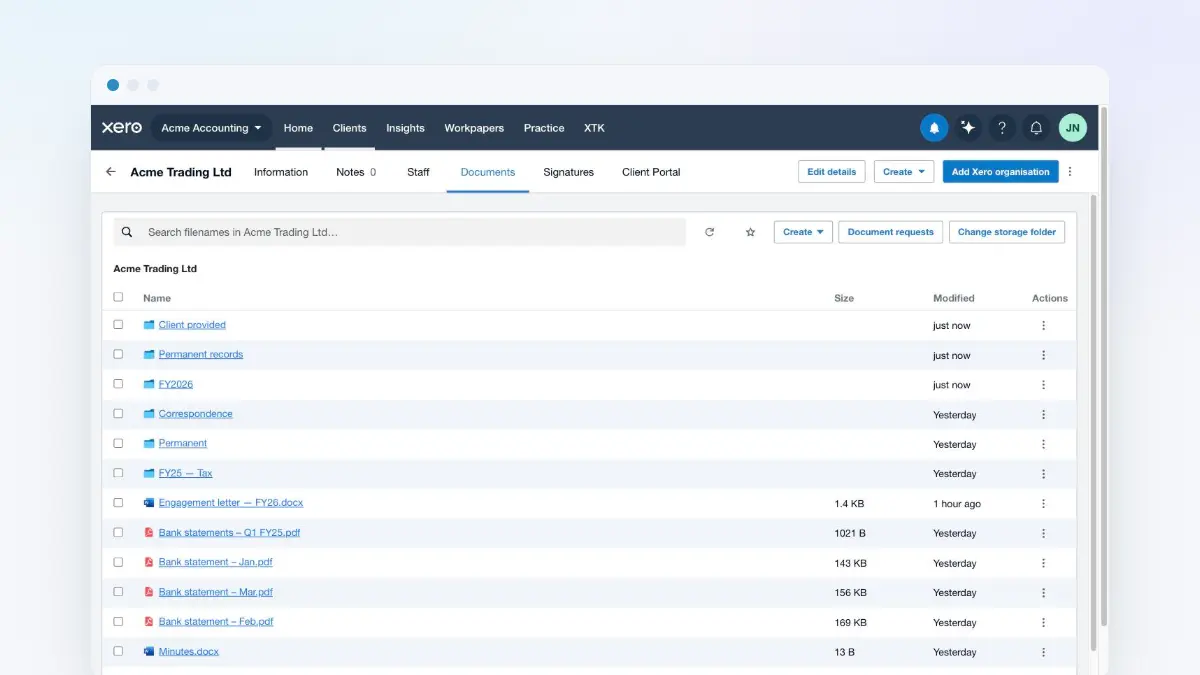
XTK is a browser extension that puts a Documents tab on each client in Practice Manager, showing that client's folder in your own storage. For a Google practice, the Admin chooses Google Drive when connecting storage and signs in. If that Google account is a member of any shared drive, XTK asks “Where do your client documents live?” and lists My Drive and each shared drive, each with a “Use this drive” button. XTK then finds your client folders by name inside the top-level folder you point it at, the first time each client is opened. Nothing is copied or migrated, and the files stay ordinary Google Drive files that you can still open, sync and share as before.
- Add the person who will connect XTK to the shared drive first, as a Manager or Content manager. The shared drive step only lists drives that account is a member of, and a Contributor can't move files or put them in the trash, so those actions would fail in XTK too.
- XTK asks Google for full Drive access, the same permission whether you choose My Drive or a shared drive. A narrower permission would only let an app see files it created itself, which would hide every client folder you already have.
- Only the Admin connects. Everyone you invite works through that one connection, so staff can browse, upload and download a client's files from XPM without being shared into each folder. Opening a file in Google Docs still checks that person's own access, so anyone who edits in Docs or Sheets needs to be a member of the shared drive as well.
- Clients never need a Google account. A client portal share is a marker XTK keeps, not a Google Drive sharing link, and an upload through a request link goes from the client's browser straight to Google, into that client's folder.
- Deleting a file in XTK moves it to the shared drive's trash, where a Manager or Content manager can restore it.
- Signed documents, generated letters and requested files all land in the same client folder in the same shared drive.
XTK is $59 USD a month for the whole practice after a 30-day trial, with no per-user charge. The pricing page has the detail.
The checklist
- Find out where client files actually live today. If the honest answer is “in three people's My Drives”, that is the job.
- Check who turned on Practice Manager's Google Drive integration, and whose My Drive its parent folder is in.
- Create one shared drive and one top-level folder, and give staff Content manager.
- Name two Managers.
- Rename client folders to match XPM exactly.
- Move client folders out of My Drives in the browser, one person at a time, checking for anything not everyone should see.
- When someone leaves, transfer their remaining files before the account is deleted, not after.
- Then decide whether a separate Drive tab is enough, or whether each client's folder should open inside Practice Manager.
Frequently asked questions
Does Xero Practice Manager work with Google shared drives?
Xero does not document it. Xero Central's page on its document management integration lists Google Drive, has you link one parent folder, and in its troubleshooting table tells a Google user who sees a folder access error to move the shared folder to My Drive. It does not mention shared drives. It also says that if the account used to turn on document management is no longer valid, the integration fails for every user until it is turned on again with a valid account.
Should an accounting practice use My Drive or a shared drive for client files?
A shared drive, once the practice has staff. Files in a My Drive belong to one person, and Google deletes them 20 days after that person's account is deleted unless an administrator transfers them to another user. Files in a shared drive belong to the organisation and are unaffected when anybody leaves. Shared drives are included in every Google Workspace Business edition, Business Starter since September 2024. A sole practitioner can reasonably use their own My Drive.
What happens to Google Drive files when an employee's account is deleted?
When deleting the account, a Google Workspace administrator can transfer the Drive files the user owns to another user, where they appear in a folder in that person's My Drive. Files in the user's trash are not transferred, and files in shared drives are not affected because the organisation owns them. The deleted account can be restored for 20 days, and files that were not transferred are deleted after that. Suspending the account or giving it an Archived User licence keeps the files instead.
Who can move folders from My Drive into a shared drive?
Someone with Manager access to the shared drive. Ownership of the moved files passes to the organisation, every member of the shared drive can then see them, people who could edit become Content managers, and people whose access came only through a parent folder may lose it. Google moves up to 100,000 items at once, and Drive for desktop cannot move a folder from My Drive to a shared drive, so the move is done in Drive in a browser.
Do clients need a Google account to upload documents to our shared drive through XTK?
No. Clients use a request link or XTK's client portal, and neither needs a Google account or a Drive sharing link. A file uploaded through a request link goes from the client's browser directly to Google and lands in that client's folder in your shared drive. Portal shares are records XTK keeps, not Google Drive permissions, so removing a share changes nothing in Drive itself.