13 min read
How to send documents to clients without email attachments
By The XTK team · Product
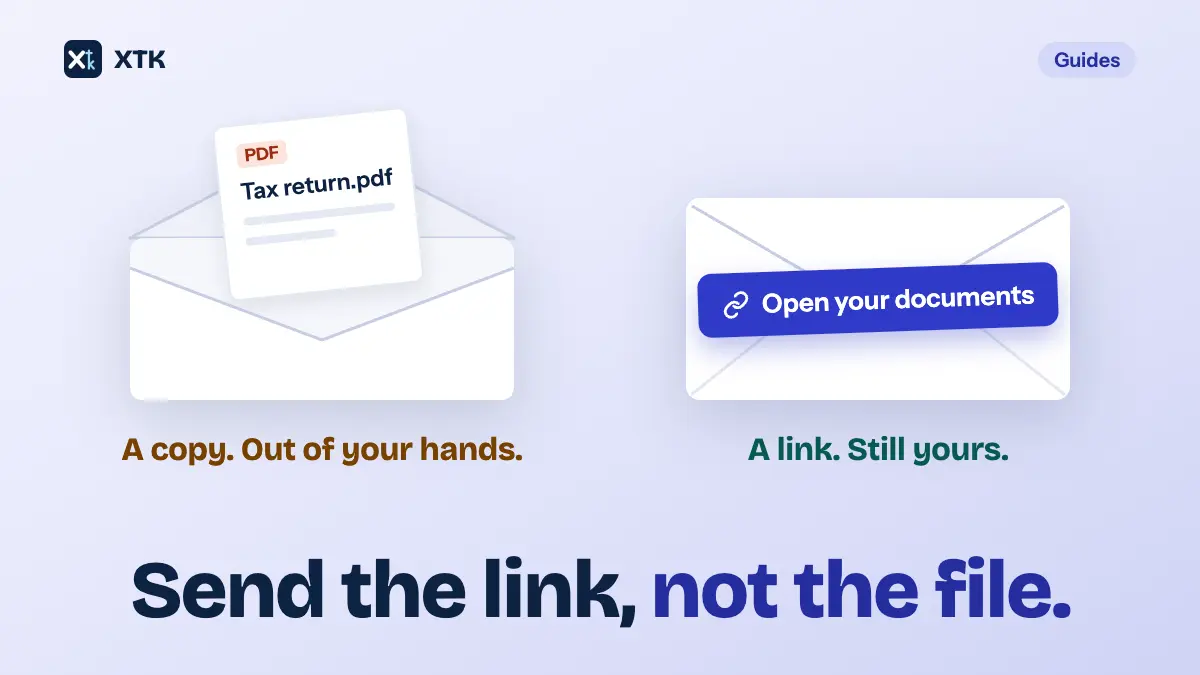
To send a client a document without attaching it, keep the file where you filed it and send them a way in: a client portal they sign in to, or a share from Google Drive, OneDrive or SharePoint that names them. The email becomes the notice that something is ready, not the thing itself. Attachments still have a place, for small files that nobody would mind reaching the wrong inbox and that the client should keep a copy of.
This article covers what goes wrong with attachments, the ways to send without them and what each one costs the client, how to share a link safely, what the email should still say, and what Xero Practice Manager (XPM) does and doesn't do. It is about sending documents out. Getting documents in is a different problem, and so is building the pack you are about to send.
What is wrong with emailing documents as attachments?
Nothing, for a meeting agenda. For a tax return, a set of accounts or a bank letter, four things, and none of them is about encryption.
- It is a copy, and you can't take it back. Microsoft's own recall instructions say recall only works when you and the recipient have Microsoft 365 work or school accounts in the same organisation, and only for people who haven't opened the message. A client's Gmail or Outlook.com address is outside that, so once the email has gone, so has the file.
- It goes to whoever the address turns out to be. Australia's privacy regulator counted 71 breaches caused by personal information emailed to the wrong recipient in the second half of 2024: 71 of the 170 breaches it put down to human error, or 42%, in its Notifiable Data Breaches report for July to December 2024. It was the largest human-error cause. An autocompleted address with an attachment is the whole document in the wrong hands; the same slip with a link that only works for the client is a link that doesn't work.
- It has a size limit you can't see. Gmail caps attachments on a personal account at 25MB and, above that, swaps the file for a Google Drive link. Microsoft 365 mailboxes default to 35MB to send and 36MB to receive, and an administrator can set anything from 1MB to 150MB. What matters is the client's receiving limit, which you don't know until the email bounces.
- It files nowhere. The document now exists in your Sent folder, the client's inbox, and wherever they saved it, and when they ask for it again next year the reply is another copy. None of those copies is the one in the client's file.
What are the ways to send a document without attaching it?
Every alternative does the same basic thing: the file stays in one place and the client is given access to it. They differ in who can open it, what the client has to do first, and whether you can change your mind.
| Way to send | Who can open it | Can you take it back? |
|---|---|---|
| Email attachment | Anyone it reaches | No |
| “Anyone” link | Anyone with the link | Yes, remove the link |
| Share with named people | Only those people | Yes, remove them |
| Client portal | The signed-in client | Yes, unshare it |
| Xero document pack | Recipients, via Xero | Cancel the pack |
That caption is the honest limit of the whole idea. A link does not stop a client downloading the file and forwarding it; nothing does. What it changes is the moment of sending. The mistake that sends an attachment to the wrong person is made before anyone has downloaded anything, and a link that only opens for the right person turns that mistake into a harmless one.
When is a link better than an attachment?
- When the document identifies the client or their money: tax returns, accounts, payslips, bank details, anything with a tax file number, National Insurance number or date of birth on it.
- When you might need to take it back: a draft that turned out to be wrong, a pack sent before the partner reviewed it.
- When it is large. A year-end pack or a scanned set of statements can pass 20MB without anyone noticing, and the bounce arrives after you have moved on.
- When it should be found again. A file the client can open from the same place next year saves you sending it a second time.
- When more than one person at the client needs it. Each person gets their own access, instead of one person forwarding an attachment to the others.
When is an attachment still the right choice?
When the file is small, would do no harm in the wrong inbox, and is meant to be kept by the person receiving it. A meeting agenda, a blank form, a published fact sheet or a newsletter are all fine as attachments, and making a client sign in to read an agenda is friction for nothing.
The harder case is the signed copy. After a client signs, they are entitled to their own copy of what they signed, and most e-signature tools email it to them, attached, when signing completes. That is a reasonable design: the client ends up holding the record rather than depending on your system to show it to them. But it means a sensitive document does leave by attachment at the end, even in a workflow that sent it for signature by link. If that matters for a particular document, check what your signing tool does before you send it.
What does Practice Manager do when you email a client?
It hands the email to your own mail program. Xero Central's page on sending emails, now titled for Xero Partner Hub, says that with a default email client set up on your computer, clicking New email on a job opens your default email program. Whatever you attach, you attach there. Invoices are the exception: Xero sends them from no-reply@post.xero.com, with replies going to the login email of the user who sent them.
Practice Manager's Documents tab stores files of up to 16MB against a client, job or quote for your own staff, and Xero Central describes uploading, editing and deleting them, not sharing them with a client. The client-facing route Xero has built is document packs, in Xero HQ and Xero Partner Hub for Australia, New Zealand and the UK: up to 15 documents of 10MB each, sent as a link to a secure Xero portal, with at least one e-signature request in every pack and a Xero login for every signer. Xero Central also warns that everyone in the practice using Xero Partner Hub can see what is in them. As of 14 September 2026, when we last read those pages, packs are a way to send documents for signature, not a general way to send a client a file.
How do you share a file from Google Drive or OneDrive safely?
Most practices already have a way to send a link: the storage their client files live in. The difference between a safe link and an attachment by another name is a handful of settings.
- Share with the client by name, not with anyone who has the link. Microsoft describes an “Anyone” link as one that works for whoever receives it, whether you sent it to them or it was forwarded, and notes that administrators may switch the option off for exactly that reason. Google Drive's “Anyone with the link” works the same way.
- Give access an end date. On a Google Workspace account you can add an expiry date to a person's access, up to a year ahead. In OneDrive and SharePoint, Microsoft 365 subscribers can set an expiry date and a password on an “Anyone” link; send the password separately, by text or phone, never in the same email.
- Share the file where it is filed, from the client's folder, not a copy dragged into a “Shared with clients” folder. A copy is a second record that someone has to remember to delete.
- Watch what Gmail does for you. When you insert a Drive file that the recipient can't open, Gmail asks whether to change its sharing, and offers “Anyone with the link” alongside an option that limits it to the people on the email. Choose the second.
- Take access away when the job is done. A share that nobody removes is still open in three years, to an address that may no longer belong to the client.
What should the email say, if the file isn't in it?
The email still does most of the work. It is what the client reads, and a link with no explanation looks exactly like the phishing email they have been told never to click. A good one says four things.
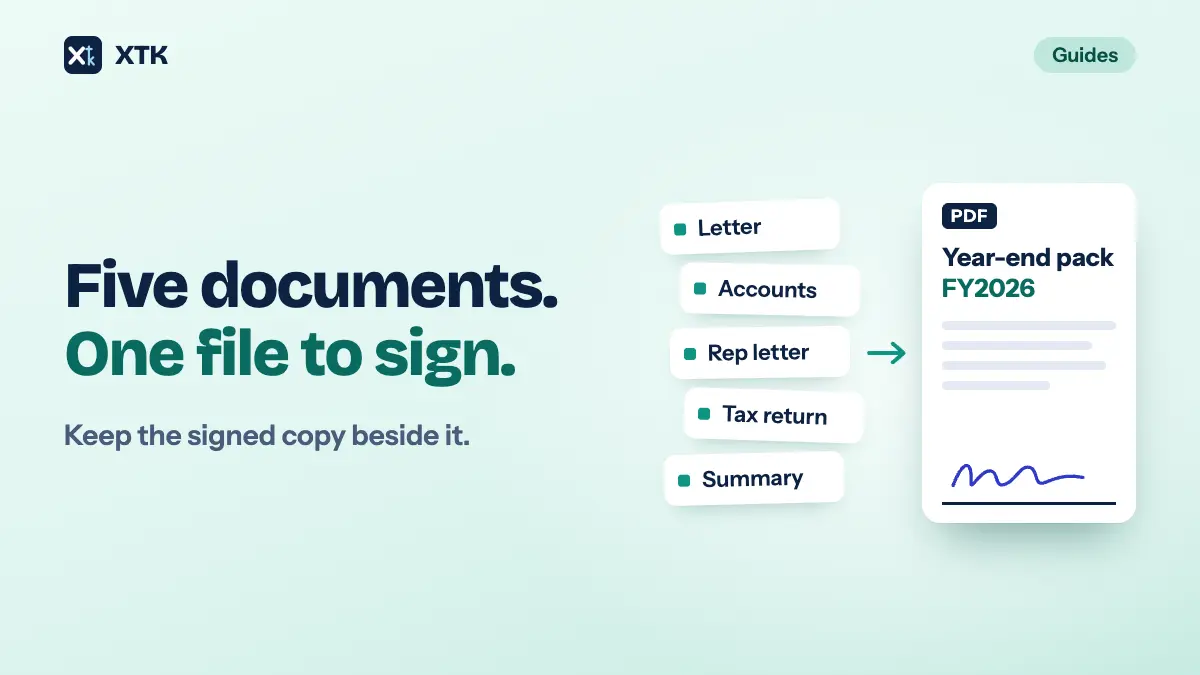
- What is ready, named the way it is filed: your FY2026 tax return, not your documents.
- Where it is and how to get in: sign in to the portal, or open the link from this address.
- What you need them to do, and by when.
- Nothing sensitive. Keep amounts, tax file numbers and dates of birth out of the subject line and the body, since the email itself can still reach the wrong person.
Send it from an address the client recognises, and tell new clients once, at onboarding, how you will send them documents. A client who knows their documents always come through the portal has a reason to distrust an email that says otherwise. And the name in the email only helps if it matches the file, which is the case for naming files consistently in the first place.
How does this work in XTK?
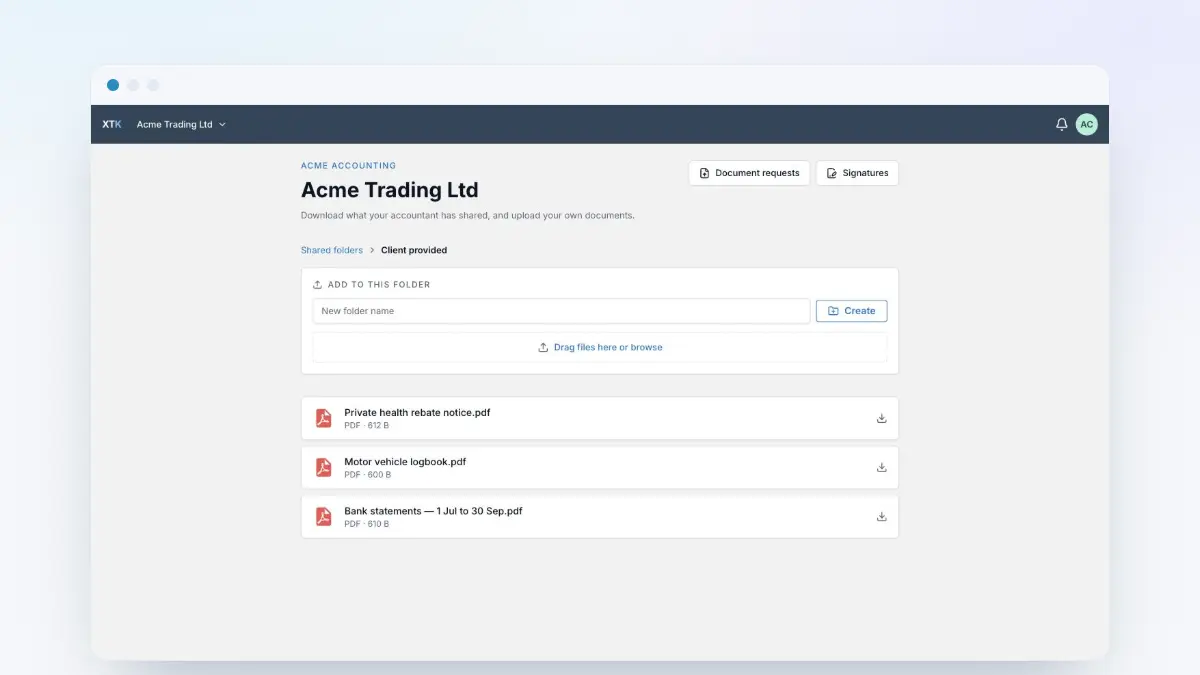
XTK is a browser extension that adds a Documents tab to each client, job and quote in Practice Manager, showing that client's folder in your practice's own Google Drive, OneDrive or SharePoint, and a client portal your clients sign in to. It gives you three ways to send without attaching, and one place where it does attach.
- Share to the client portal. In the client's Documents tab, open a file or folder's ⋮ menu and choose “Share”. Nothing is copied or moved: the share is a marker over the file where you filed it, and XTK checks it on every request, so the client can reach only what you shared. A shared file is read-only; a shared folder also lets the client upload into it. “Unshare” ends access and leaves the file where it is.
- Invite the client. The portal is opened by an emailed invitation with a single-use link that lasts 30 days, where the client sets a password. After that they sign in with their email address and password, and one login covers every practice that invites them.
- Send for signature. A signature request emails each signer a link, not the document. The link works once and lasts 30 days, the document is shown to them streamed from your storage, and no account is needed.
- Emails go from your own Gmail or Outlook, or your practice's shared mailbox, once you connect one, with a copy in its Sent folder. With none connected they go from XTK's shared address.
And the attachment. When the last signer signs, XTK saves a signed copy of each document beside the original, with a certificate of completion as its last page, and emails those signed PDFs to every signer as attachments. There is no setting to turn that off. Signers who are also portal members can download the same signed copy from the portal's Signatures list whenever they need it.
Two hedges this site owes on every article like this. Files live in your own storage and uploads go straight from the browser to Google or Microsoft, but a client downloading a shared file, like a signer viewing a document, is served through XTK's backend in flight, and merging, zipping, generating from a template and flattening signatures stream through it too. How XTK handles your data has the detail. XTK is $59 USD a month for the whole practice after a 30-day trial, with no per-user charge, and portal members don't count as users — the pricing page has the rest.
The sending-without-attachments checklist
- Decide by the document: sensitive, large, or likely to be needed again means a link.
- Share with named people, never “Anyone with the link”, for client documents.
- Share the filed file, not a copy.
- Set an end date on access where your storage allows it.
- Send any password by a different route from the link.
- Say in the email what is ready, where, and what to do, with nothing sensitive in it.
- Tell new clients once how you send documents, so a different kind of email looks wrong.
- Check what your signing tool emails when signing completes.
- Remove access when the work is done.
Frequently asked questions
Is it safe to email a tax return to a client as an attachment?
It works, but it is the riskiest way to send one. An attachment cannot be recalled once a client's external address has received it, and emailing personal information to the wrong recipient was the largest human-error cause of data breaches in the Australian privacy regulator's report for July to December 2024. A client portal or a share limited to the client's own address means a mistyped address receives nothing it can open.
Can you unsend an email attachment?
Rarely. Microsoft says message recall only works when both people have Microsoft 365 work or school accounts in the same organisation and the recipient has not opened the message. It does not work for Gmail, Outlook.com or other external addresses, so for most client emails an attachment cannot be taken back once sent.
What is the maximum attachment size for Gmail and Outlook?
Gmail allows 25MB of attachments on a personal account and replaces anything larger with a Google Drive link. Microsoft 365 mailboxes default to a 35MB sending and 36MB receiving message size, which an administrator can change to anything between 1MB and 150MB. The limit that decides whether a client receives your email is their receiving limit, which you usually cannot see.
Is a Google Drive or OneDrive link safer than an attachment?
Only if it is shared with the client by name. An 'Anyone with the link' share opens for whoever has the link, including anyone it is forwarded to, which makes it an attachment by another name. Sharing with a named person, adding an expiry date where your plan allows it, and removing access when the work is done is what makes a link safer.
How do I tell a client a document is ready without attaching it?
Send a short email that names the document the way it is filed, says where it is and how to get in, and says what you need them to do and by when. Leave sensitive details such as amounts, tax file numbers and dates of birth out of the subject line and body, and send from an address the client recognises.