15 min read
The accountant's letter for a home loan: what you can send
By The XTK team · Product
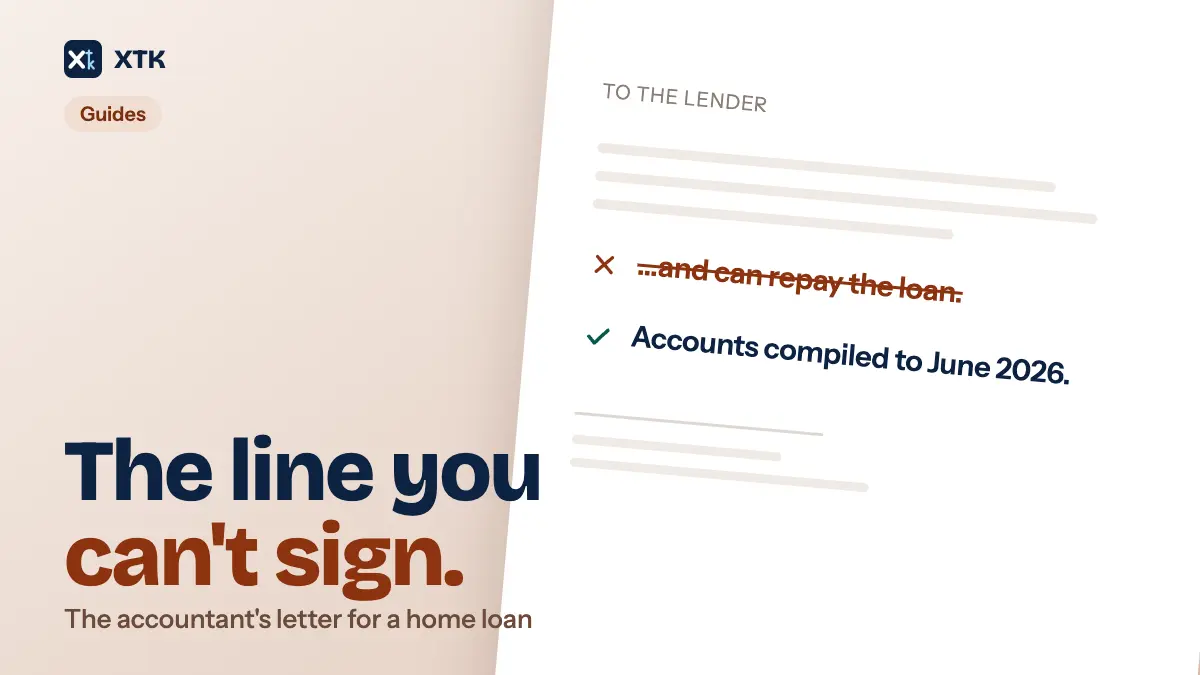
An accountant's letter for a home loan should say only what you already know: who the client is, since when you have acted, what you compiled and for which years, and that you make no assessment of whether they can repay. The version that asks you to certify the repayment is the version to decline. What is left is a short factual letter — which means it is a template, filled from the client record, not something to retype for every broker who asks.
This article covers what brokers and lenders actually ask for, why the professional bodies say to refuse the repayment question, what you can send instead, the consent you need first, and how to build the letter once in Word so Practice Manager fills it. It is about one document, end to end. The general case — every client detail you type more than once — is a shorter post, and the annual letter that goes to every client is the engagement letter.
What is an accountant's letter?
It is a letter an accountant writes at a client's request, addressed to a bank, lender, landlord or government agency, confirming something about the client's financial affairs. Brokers call it an accountant's letter, a reference, a declaration or a certificate. For a self-employed borrower it turns up when the tax returns alone do not tell the lender what it wants to know — a business under two years old, an income that moves, a director drawing from a company.
The request side is specific about the form. A broker guide for borrowers, Home Loan Experts, updated 8 May 2025, lists what lenders look for: the accountant's own letterhead with contact numbers and the firm's ABN, the professional membership of the signatory, a date, a signature and the signer's name, the client's name, a confirmation that the firm acts for them, and a disclaimer. Every item on that list is administrative.
The hard part is the sentence often wanted next to it — some form of “in our opinion the borrower can meet the repayments”. That one sentence turns a statement of fact into an opinion about the future, and it is why the letter has a reputation as the job nobody wants.
Can you decline to certify that a client can repay?
In Australia, yes, and your professional body says you should. CPA Australia, Chartered Accountants ANZ and the Institute of Public Accountants publish a joint toolkit, Accountant's letters, declarations and capacity to repay certificates, first issued in May 2023, updated in December 2024 and revised again in August 2026, applicable from 1 August 2026. Its joint position is that accountant's letters requested to facilitate a financing arrangement are to be declined, because the credit assessment is the lender's responsibility and the lender has obligations under its own credit licence when making one.
The reasoning is about opinions, not paperwork. Expressing an opinion on a client's financial viability requires a full audit whatever the purpose, and giving one without an audit breaches APES 110 and APES 210 — and may put the letter outside your professional indemnity cover, which is the part that tends to end the argument with a partner. The toolkit sorts the possible engagements by risk.
| Risk | What you are asked to do | Toolkit's line |
|---|---|---|
| Low | Collate historical documents | Acceptable |
| Low to moderate | Authenticate, explain impact | Consider carefully |
| High | Certify capacity to repay | Strongly recommended you decline |
| High | Forecasts, future plans | Strongly recommended you decline |
The banks moved too, though less far than it is usually reported. The 2025 Banking Code of Practice, which commenced on 28 February 2025, says at clause 78 that when assessing whether you can repay a loan, “We will not ask a third party (such as your accountant) to certify that you can repay the Loan.” Read it in place before you rely on it: clause 78 sits in Part B5, lending to small business, where the Code states that “you” means Small Business — and it binds only banks that subscribe to the Code. A self-employed borrower applying for an ordinary home loan, a non-bank lender, a landlord or a licensing agency are all outside it. The toolkit says as much, and expects the requests to keep coming.
What can you send instead?
Three things, and most requests are satisfied by the first. The toolkit publishes a template for each, as Word files you can adapt.
- Documents from the file, with a covering letter. Historical accounts, tax returns, activity statements — things that exist, and that you are confirming rather than asserting. The covering letter states that you have not audited them, that you accept no duty of care to the reader, that it is provided for one named purpose only, and that you make no comment on the client's ability to meet its obligations.
- An accountant's letter on the toolkit's own form, if you choose to write one. It is a short structured page: client name, business address, trading name, ABN, the period for which you compiled the accounts, the years for which returns have been lodged, whether the accounts are audited, the principal sources of income, and gross taxable income for the last three years — five if you compiled them. Then the compilation wording, the disclaimer, your membership, the date and the signature block.
- A letter declining, if the request is one you will not meet. The toolkit includes both the letter to the client and an information sheet explaining to them why, which is the part that stops the conversation becoming personal.
One warning printed on the toolkit's own letter is easy to miss: if the credit contract is regulated under the National Consumer Credit Protection Act 2009, you cannot use the financing letter to support the application unless you hold or are authorised under an Australian Credit Licence — or you are providing purely factual information to verify what the client has already told the lender. That last clause is the lane most practices are in, and another reason to keep the letter to facts.
Get the client's consent before anything leaves
Nothing goes to a lender without the client's express written consent — the toolkit is unambiguous, and it appears twice in the working-paper checklist. This is the step most likely to be done by phone and never written down, and the one that matters if the loan sours and somebody asks what you sent and on whose instruction.
It is also the step that fits an e-signature best. The letter needs a signature block; the consent needs a record of who agreed, when, and to what. Sending a one-page consent for signature gives you a signed PDF and a timestamped audit trail filed against the client, instead of a line in a file note. XTK's signature requests run from the client's own Documents tab in Practice Manager: pick the file, pick the recipient from the client's XPM contacts, and the signed copy lands beside the original as “… (signed).pdf”, with a certificate of completion as its last page.
Turn the letter into a template once
Sort the fields on the toolkit's letter into three piles: things Practice Manager already knows, things only this request knows, and things that never change. The first pile is bigger than it looks.
A document template in XTK is an ordinary Word .docx stored once for the whole practice, with placeholders typed where client data belongs. Generating one from a client's Documents tab fills every placeholder from that client's record in XPM, shows you the values, and writes the finished .docx into the client's folder. Here is the toolkit's letter, mapped.
| Field on the letter | Placeholder | Filled from |
|---|---|---|
| Client's name | [CLIENT:NAME] | XPM client record |
| ABN | [CLIENT:BUSINESSNUMBER] | XPM client record |
| Business address | [CLIENT:STREET:ADDRESS] | XPM address, by type |
| Addressed to | [CONTACT:PRIMARY:ADDRESSEE] | XPM contacts |
| Date of the letter | [DATE:d MMMM yyyy] | Your computer's clock |
| Trading name, GST period | [CUSTOM:Trading Name] | An XPM custom field |
| Partner acting | [CLIENT:ACCOUNTMANAGER] | XPM account manager |
| Lender, purpose, figures | Typed each time | You, at generation |
Two rows deserve a note. A custom field is how you get anything XPM does not hold natively — a trading name, a GST period — by defining it once in Practice Manager and referring to it by name. And the partner placeholder is the client's assigned account manager, not your practice's own details: XTK has no placeholders for your firm, so the letterhead, firm name, professional membership and signature block live in the template itself, typed once and correct forever.
If one letter has to serve both a company and a sole trader, wrap the paragraph that differs between [IF …] and [ENDIF] and it is kept or dropped per client, on a presence test, an equals or a not-equals. There is no AND, no OR and no [ELSE].
What Practice Manager cannot fill in, and why that is right
The money. Gross taxable income for each of the last three years, the period over which you compiled the accounts, the years for which returns have been lodged, whether the accounts were audited: none of that is in the client record, and all of it has to be typed into the fill step for every letter.
That is the correct division of labour. A template fills the fields that are boring to type and embarrassing to get wrong — a legal name with the wrong suffix, last year's address, a misspelt director. The fields it cannot fill are the ones carrying the risk, and they are exactly the ones a human should look at each time. A letter that assembled its own numbers would be a letter nobody checked.
XTK is explicit about what it could not fill. The fill step shows one box per placeholder with the resolved value in it, every box editable, and a running count underneath of how many are still empty, along with a note that an empty one will appear as its literal token. An unfilled field is never silently blank: [CLIENT:BUSINESSNUMBER] arrives in the finished letter as those exact characters, which is ugly and obvious, which is the point.
Generating, converting and sending one letter
Once the template exists, a letter is a couple of minutes' work from the client's own record in Practice Manager, and the sequence is the same every time.
- Open the client in XPM and go to the Documents tab. Everything below happens against that one client — there is no way to run a letter for several at once.
- Choose “File from template” and pick the letter. XTK reads the template's placeholders and pre-fills them from the client's record.
- Check every value, and type the ones it could not fill. Then name the output. The name defaults to the template's name, so every letter is called “Accountant's letter.docx” unless you change it — worth two seconds, because the file name is what travels.
- Pick the destination folder inside the client's folder, and generate. The finished .docx is written there; the template is untouched.
- Read it in Word. This is a letter going to a third party about a client's money, and it is the last point where a wrong number is cheap to fix.
- Convert it to PDF from the file's row menu, which writes a PDF beside the .docx. Word documents only — .doc and .docx — and up to 100 MB, which a letter will never trouble.
- Send it, with the client's consent already on file, the way the lender asked for it.
Whether to e-sign the letter itself is a judgement call, and the honest answer is usually no. Adding yourself as a signer works — the signature panel has an “Add me as a signer” button precisely because the sender is sometimes the signer — but the signed copy comes back with a certificate of completion appended as an extra page, in US Letter size, which is not what most people want to hand a lender. A signature image in the template, or a wet signature on the printed PDF, gives the lender the page it expects. Keep the e-signature for the client's consent, where the audit trail is the point. How XTK handles your data covers where the bytes go: generating from a template and flattening signatures stream through XTK's backend, and Convert to PDF hands the file to CloudConvert, even though the files themselves live in your own Google Drive, OneDrive or SharePoint.
What to keep on the client's file afterwards
The toolkit's working-paper checklist ends with a documentation list, and it reads as a filing instruction. Everything on it is a file, and every one belongs with the client rather than in an inbox.
- The request itself, from the lender, agency or client.
- Any correspondence with your insurer about the request, and file notes of those discussions.
- A file note of what you told the client you could and could not provide.
- The amended engagement letter and fee advice, if the scope changed.
- The client's written consent to release their information to the third party.
- A copy of what you actually sent, and the covering letter you sent it with.
- The letter telling the client what went to the lender, with the enclosure attached.
That is seven small files per request — precisely the kind of bundle that ends up scattered across a mailbox, a desktop and a shared drive. A folder under the client called “Lender requests 2026”, holding all seven, is the whole of the practice management here. If your client folders are in your own Drive or SharePoint, they are already in the right place; XTK's job is to put the generated letter and the signed consent there without anyone downloading and re-uploading them.
Frequently asked questions
Can an accountant refuse to write a letter for a home loan?
Yes. In Australia the joint position of CPA Australia, Chartered Accountants ANZ and the Institute of Public Accountants is that accountant's letters requested to facilitate a financing arrangement should be declined, because assessing credit is the lender's responsibility. Their August 2026 toolkit includes a template letter for declining and an information sheet to give the client. In the UK, ICAEW's technical release 02/01AAF says it is legitimate to decline where the risk is too high.
What should an accountant's letter for a lender actually say?
Facts you hold and nothing else: who the client is, their ABN and address, how long you have acted for them, what you have compiled and for which years, whether the accounts are audited, the sources of income, and historical income figures. It should state that you have not audited the information unless you have, that you accept no duty of care to the reader, that it is provided for one named purpose, and that you make no comment on the client's ability to meet their obligations.
What is clause 78 of the Banking Code of Practice?
Clause 78 of the 2025 Banking Code of Practice, which commenced on 28 February 2025, sets out how a subscribing bank assesses whether a borrower can repay a loan and states that the bank will not ask a third party such as the borrower's accountant to certify that they can repay it. It sits in Part B5, which covers lending to small business, so it does not by itself cover every home loan, and it binds only banks that subscribe to the Code.
Can I fill an accountant's letter automatically from Xero Practice Manager?
The administrative half of it. Client name, ABN, business address, the contact it is addressed to, the account manager and the date can all be filled from the client's record in XPM by a Word template with placeholders, and anything XPM does not hold natively can be added as a custom field. The financial figures — income by year, the period compiled, the years lodged — are not in XPM and are typed for each letter, which is also where they should be checked.
Does the client need to consent before I send anything to their lender?
Yes, in writing. The joint professional bodies' toolkit says you should never provide client information to a third party without the client's express written consent, and its working-paper checklist asks you to obtain and document that consent on the engagement file. A signed one-page consent, filed with the client's other documents, is a stronger record than a note of a phone call.