13 min read
Client leaving? How to hand files to the new accountant
By The XTK team · Product
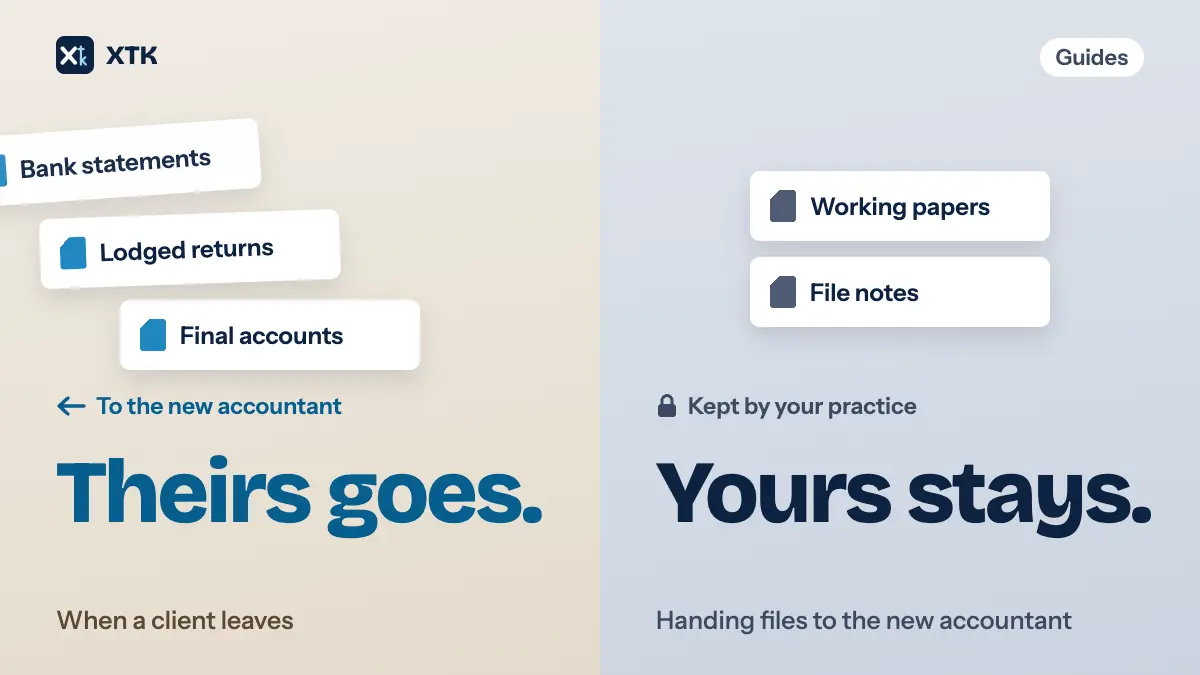
When a client moves to another accountant, sort their file into two piles before anything goes out. The client's own records, and anything you produced for them as the result of the engagement, go to the new accountant. Your working papers stay with you. Get the client's permission in writing first, put the handover in one folder rather than a string of emails, and close with a disengagement letter that lists what was sent and when.
None of that is difficult. It goes wrong because it lands in the middle of other work, for a client who has stopped paying you, and gets done in pieces. This article sets out what the professional bodies expect, how to decide what goes in the handover, and how to run it from Xero Practice Manager (XPM). The rules are context here, not the subject: your own professional body's guidance governs what you must do.
What does the new accountant actually ask for?
Usually two things in one letter, and they are worth separating. The first is the professional enquiry, often still called “professional clearance” or the ethical letter: is there anything the new accountant should know before accepting the appointment? The second is a request for records and information: last year's accounts and returns, tax references, balances, anything they need to pick the work up.
ICAEW's helpsheet for the outgoing accountant points out that “clearance” is a misnomer: you can't give or withhold permission to act, and the decision is the new accountant's. It notes that the enquiry and the records request usually arrive together. CA ANZ's guidance on client handovers says the same for Australia and New Zealand: answer the ethical letter without unnecessary delay, in writing or by phone. Answering the enquiry is one short reply. The records request is the part that takes an afternoon, so this article is mostly about that.
Whose files are they?
This question decides everything else. A client folder that has run for a few years holds two kinds of document mixed together: things that belong to the client, and things you made for your own purposes while doing the work. CA ANZ puts the first step plainly: work out who owns the records. If the client owns them, you hand them over, unless you can rely on a lien over unpaid fees. If you own them, you don't have to.
| Usually | Examples |
|---|---|
| Hand over | Client's own records |
| Hand over | Final accounts, lodged returns |
| Hand over | Statutory registers, minutes |
| Keep | Working papers |
| Keep | File notes, review points |
The client's own records are the obvious ones: bank statements, invoices, receipts, contracts and anything they sent you to work from. The end product of the engagement also goes: the signed accounts and the returns you lodged. CA ANZ adds that you won't need to hand over working papers unless they are the end product or the client has to hold them under the Corporations Act, and that a company's statutory books, such as its register of members and minute books, belong to the client, must be returned, and can't be held under a lien.
Keeping your working papers doesn't mean keeping what's in them. ICAEW's helpsheet says that where the new accountant asks for information, you have to provide it if not having it could prejudice the client and the client can't supply it themselves, even when the information sits in documents you own. There is no obligation to resend what the client already has. In practice most firms send last year's figures and references anyway, because it is quicker than arguing.
If your engagement letter already says who owns what, and what happens to files when the engagement ends, this takes minutes. If it doesn't, the record-keeping article explains why it should, and what you keep after the client has gone.
Do you need the client's permission first?
Yes. Confidentiality doesn't end with the engagement. CA ANZ says you must get the client's consent before disclosing information you gained while acting for them, even after the relationship has ended, unless you have a legal duty to disclose. ICAEW asks you to get the client's permission, preferably in writing, before you reply to the new accountant with anything of substance. If the client refuses, you tell the new accountant that consent was refused and say nothing more. The new accountant's letter often encloses a signed authority from the client. If it doesn't, ask the client for one before you send anything.
Two other points trip practices up. Unpaid fees are not a reason to ignore the enquiry. ICAEW says you must still respond, and you may mention the fees in your reply. A lien over client records is a separate question, and CA ANZ's advice is to take legal advice before relying on one. As for charging for the handover, ICAEW's position is that you shouldn't normally charge unless there is good reason, such as years of archived files or copies of returns the client already has.
Build the handover folder before anyone asks
The most useful habit here comes from a practice owner quoted in an AccountingWEB piece on client handovers. As soon as a client says they are leaving, the practice copies the client's digital records into a separate folder, so it is ready when the new accountant's letter arrives. It costs almost nothing, because the client is fresh in everyone's mind, and it turns a request that could otherwise sit in someone's inbox for weeks into a same-day reply.
- Create one folder inside the client's folder, named so nobody mistakes it: “Handover – 2026-09”.
- Copy, don't move. The originals stay where they are filed, because your own record of the client has to stay complete for as long as you keep it.
- Work through the client's folders year by year, and copy only what the client owns or needs: the most recent signed accounts and lodged returns, the records behind them, registers and minutes, and any open correspondence with the tax authority.
- Leave out working papers, internal notes and review points. Where the new accountant needs a figure that lives only in your workings, such as a carried-forward loss or an asset register, summarise it in a short schedule rather than sending the file.
- Name the files so they make sense without you there to explain them. Someone who has never seen your filing is about to open them.
- List what is in the folder. That list goes into your disengagement letter, and it is your record of what was handed over.
How should you send it?
Not as twenty email attachments. They go to whoever the client named, sit in inboxes on both sides, and leave you with no clean record of which version went. There are three better routes, and which one fits depends on the new accountant.
- Give the new accountant access to the one handover folder in your client portal, for a limited time. They download what they need, and you remove them once they confirm they have it.
- If they send you an upload link from their own system, which many practices now do, zip the handover folder's contents and upload it there.
- Send the folder to the client and let the client pass it on. That is legitimate where everything in it is theirs, and some practices prefer it, because the client's authority is then no longer a question.
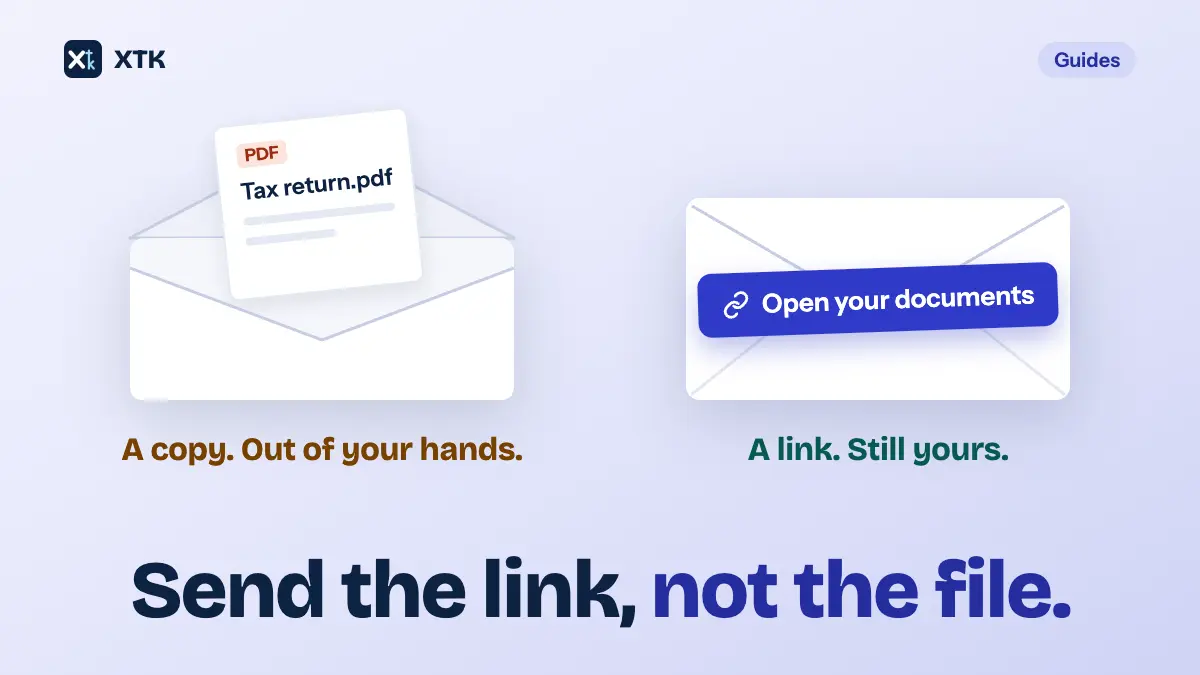
Whichever route you choose, share the handover folder, not the whole client folder. A shared link to the entire client folder hands over your working papers along with everything else, which is the exact thing the ownership split was meant to prevent. Our article on sending documents without attachments covers the difference between a link and a copy in more detail.
Close it with a disengagement letter
ICAEW's helpsheet recommends a disengagement checklist and a disengagement letter to the outgoing client whenever you stop acting. The letter is your record that the engagement ended, and it stops a former client from later assuming you were still looking after a deadline. A useful one is short and covers:
- The date you stopped acting, and for which entities and services.
- Work that is finished, work that isn't, and the deadlines now the client's or the new accountant's to meet.
- What was handed over, to whom and when: the list from the handover folder.
- What you keep, and for how long.
- Any fees outstanding.
- Any authorities you held, such as tax agent or agent services links, that you are removing or that the client needs to move.
Your professional body will have its own template. Use it for the wording, and treat the list above as what the letter should do. Sending it for the client to sign isn't required, but a signed acknowledgement ends any later argument about whether they received it.
What archiving the client in Practice Manager does and doesn't do
Once the handover is done, archive the client. Xero Central's page on archiving, restoring or deleting a client says an archived client moves to the Archived clients tab and can be restored, and that archiving in Xero HQ or Practice Manager archives it in the other as well. It also lists what archiving doesn't do. If a Xero organisation is linked to the client, its subscription stays active, and archiving doesn't remove your or your staff's access to that organisation. Transfer or cancel the subscription, and remove staff access, as separate steps. Xero suggests adding a client note recording why the client was archived, which is a sensible place to put the date the handover went.
Archive rather than delete. Xero says deleted clients can't be restored. You also still need the client's files for as long as your retention period runs, and a client who leaves sometimes comes back.
Doing the handover in XTK
XTK is a browser extension that adds a Documents tab to each client in Practice Manager. The tab shows that client's folder in your own Google Drive, OneDrive or SharePoint. Everything above can be done from that tab, one client at a time.
- Create the handover folder. In the client's Documents tab, click “Create ▾ → Create folder”, and name it. Then tick the files that belong in the handover, click “Copy” in the selection bar and choose the new folder. The originals stay where they were. Selections carry across folders, so you can collect files from several years' folders in one pass.
- Send the client an authority to sign. If the new accountant's letter didn't include one, build a short authority letter as a document template, with placeholders such as [CLIENT:NAME], [CONTACT:PRIMARY:NAME] and [DATE] filled from Practice Manager. Convert it to PDF and send it for signature. The signed copy is saved beside the original with “(signed)” added to its name and a Certificate of Completion as its last page, so the consent is filed with the client.
- Check what the client portal already shares. Open the client's “Client Portal” tab. If the portal isn't on yet, click “Enable client portal”; XTK then asks whether to invite the client's primary email, and “Not now” turns the portal on without inviting anyone. If it was already on, look at the Documents tab for anything tagged “Shared” and unshare it. The reason is in the callout below.
- Share the handover folder. Open the handover folder's ⋮ menu and click “Share”. A shared folder covers everything inside it, including files you add later.
- Invite the new accountant. Click “Invite contact”, type the new accountant's name and email, and click “Continue”. A portal contact doesn't have to be in Practice Manager, so a person at another firm is fine. The invite goes from your own mailbox using an email template. The default is written for clients, so reword it for the new accountant before clicking “Send invite”. See setting up a client portal for the full invite flow.
- Remove them when they have it. Once the new accountant confirms they have everything, open their row's ⋮ menu and click “Remove”. They lose access to that portal at once. Then send the disengagement letter, built the same way as the authority.
If the new accountant would rather have one file, open the handover folder, tick the files, and click “Download as zip”. The zip is named after the client's folder and the date, ready to upload to the link they sent you.
XTK is $59 USD a month for the whole practice after a 30-day trial, with no per-user charge. The pricing page has the detail.
The checklist
- When the client says they're leaving, create the handover folder and copy their records into it, before the letter arrives.
- When the letter arrives, check you have the client's written authority, then answer the enquiry promptly and plainly.
- Hand over what the client owns, plus the end product of the work. Keep your working papers, and summarise any figure the new accountant needs from them.
- Share the one handover folder, never the whole client folder, and remove access once it's collected.
- Send a disengagement letter that lists what went, to whom and when.
- Archive the client in Practice Manager, then deal separately with the Xero subscription and staff access.
- Keep your own copy of everything for your retention period.
Frequently asked questions
Do I have to give my working papers to the new accountant?
Generally no. CA ANZ's guidance says working papers don't need to be handed over unless they are the end product of the engagement or the client is required to hold them under the Corporations Act. ICAEW adds that you must still provide information the new accountant asks for if not having it could prejudice the client and the client can't supply it, even when it sits in documents you own. In practice that means a short schedule of the figures they need, not the file.
Can I refuse to hand over a client's records until they pay their fees?
Unpaid fees are not a reason to ignore the new accountant's enquiry; ICAEW says you must still respond, and may mention the fees. Holding on to records the client owns is a lien, which is a legal question, and CA ANZ recommends taking legal advice before relying on one. A company's statutory books, such as its register of members and minute books, can't be the subject of a lien.
Do I need the client's permission before replying to the new accountant?
Yes. CA ANZ says client consent is needed before disclosing information gained while acting, even after the engagement has ended, and ICAEW asks for the client's permission, preferably in writing, before a substantive reply. If the client refuses, ICAEW's guidance is to tell the new accountant that consent was refused and say nothing further.
Can I charge the new accountant for handing over records?
ICAEW's position is that you shouldn't normally charge for records and information unless there is good reason, such as a request that means retrieving years of archived files, or copies of documents the client was already given. Check your own professional body's guidance and your engagement terms.
What happens to a client's documents in XTK when we archive them in Xero Practice Manager?
Nothing. XTK doesn't act on archiving or deleting a client in Practice Manager. The client's folder stays in your own Google Drive, OneDrive or SharePoint, and any client portal and its shares stay as they were until you change them. Remove the new accountant from the portal once they have the files, and disable the portal if nobody else should still use it.